Hi all,
There is a little add on included in Visual Studio 2012 which can make our life easier, it is called Quick Launch and it does exactly what the name indicates, it helps us to find what we are looking for.
Actually this is not something completely new, you could have the same functionality in Visual Studio 2010 through an external add-on but this is the first time this functionality is included out of the box.

The main reason why I find this tool useful is that by using it you will be able to launch any menu item or configuration option very easily, just typing what you need and the tool which give you a list of places where that word is used.
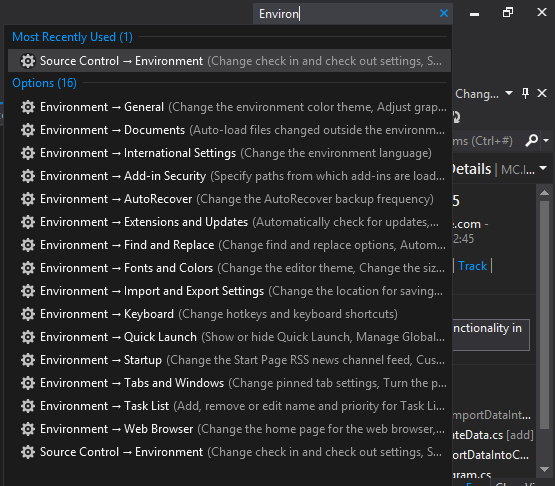
Note: It doesn’t include the code, for that we have the normal search 😉
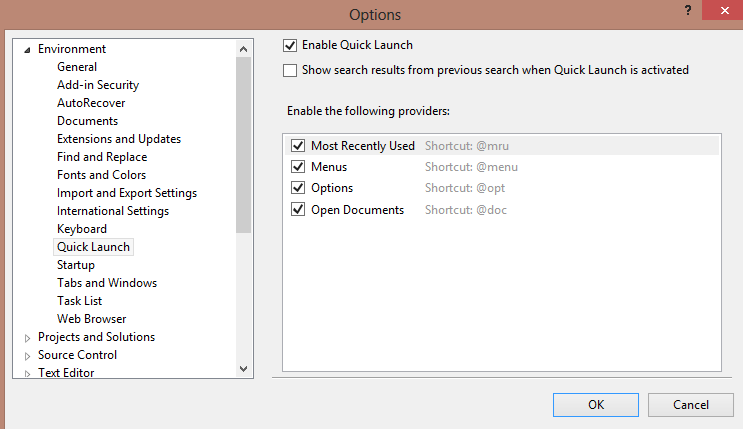
The way of configuring Quick Launch is through the Settings menu, you can also “Quick Launch” in Quick Launch (xD) and it will take you here:
Hope you enjoy using it, it really saves quite a lot of time when you need to deal with a project containing a large amount of files.
Cheers,
Mc
Note: For more information, please visit http://www.codeproject.com/Articles/415119/Visual-Studio-2012-Tip-Improve-Productivity-using


 MS Tech & Coffee
Leave a comment