
Hello team,
Following on the PowerApps Portals series today I bring you a way that you can extend UX of the portals to make them look better or to add new functionality.
JQuery Plugins:
JQuery has been around for a while so I am not going to go into the detail of this Javascript library.
A jQuery plugin is simply a new method that we use to extend jQuery’s prototype object. By extending the prototype object you enable all jQuery objects to inherit any methods that you add.
How can we use them in our Power Apps Portals?
Remote Reference:

Upload them as Web Files:
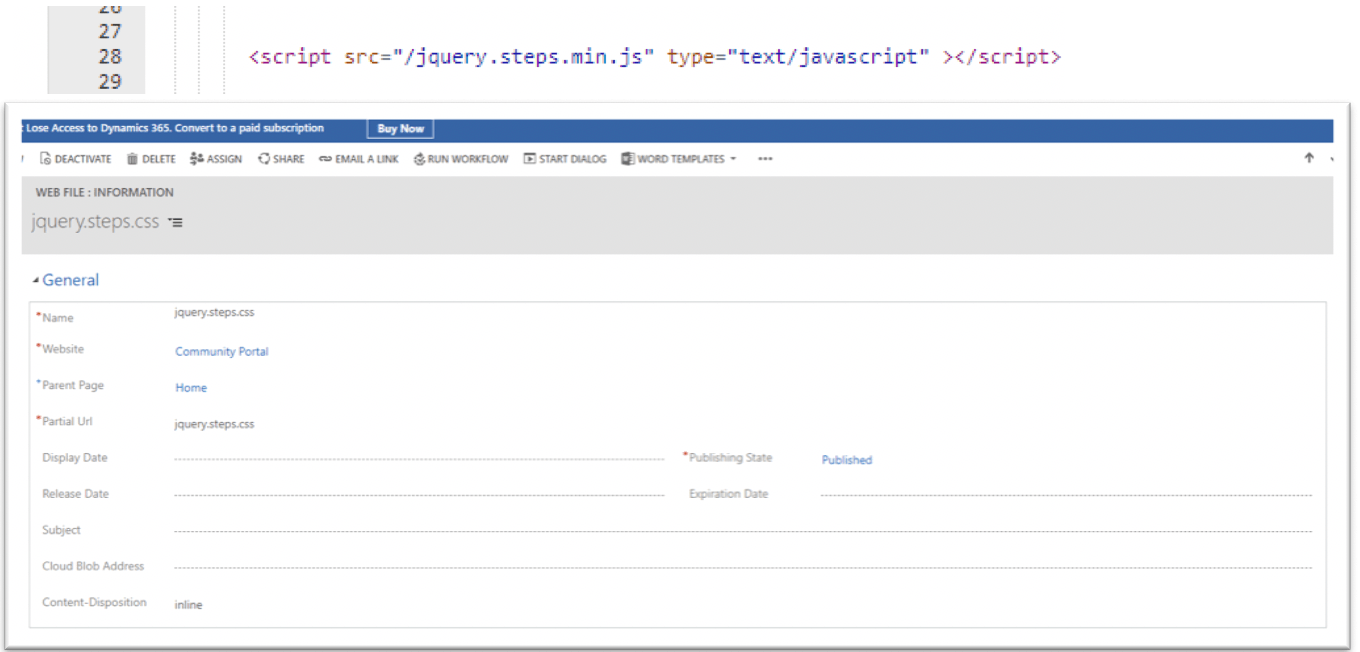
And then…let’s use it.
For this example I am going to use the barometer plugin, you can download it from the website below
Barometer:
https://www.jqueryscript.net/chart-graph/flat-barometer.html
1. Add the Barometer files as Web Files.

2. Create a Web Template
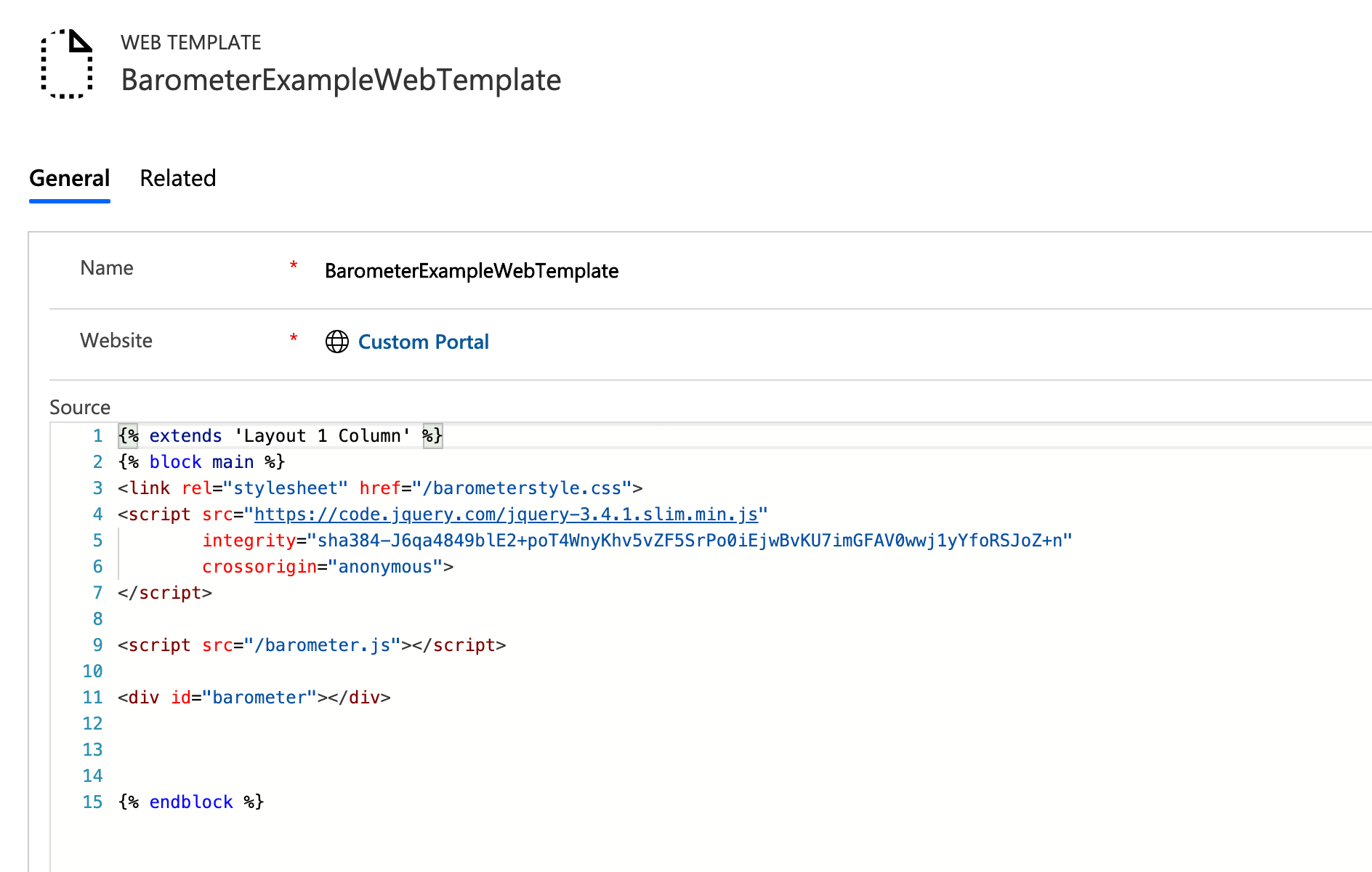
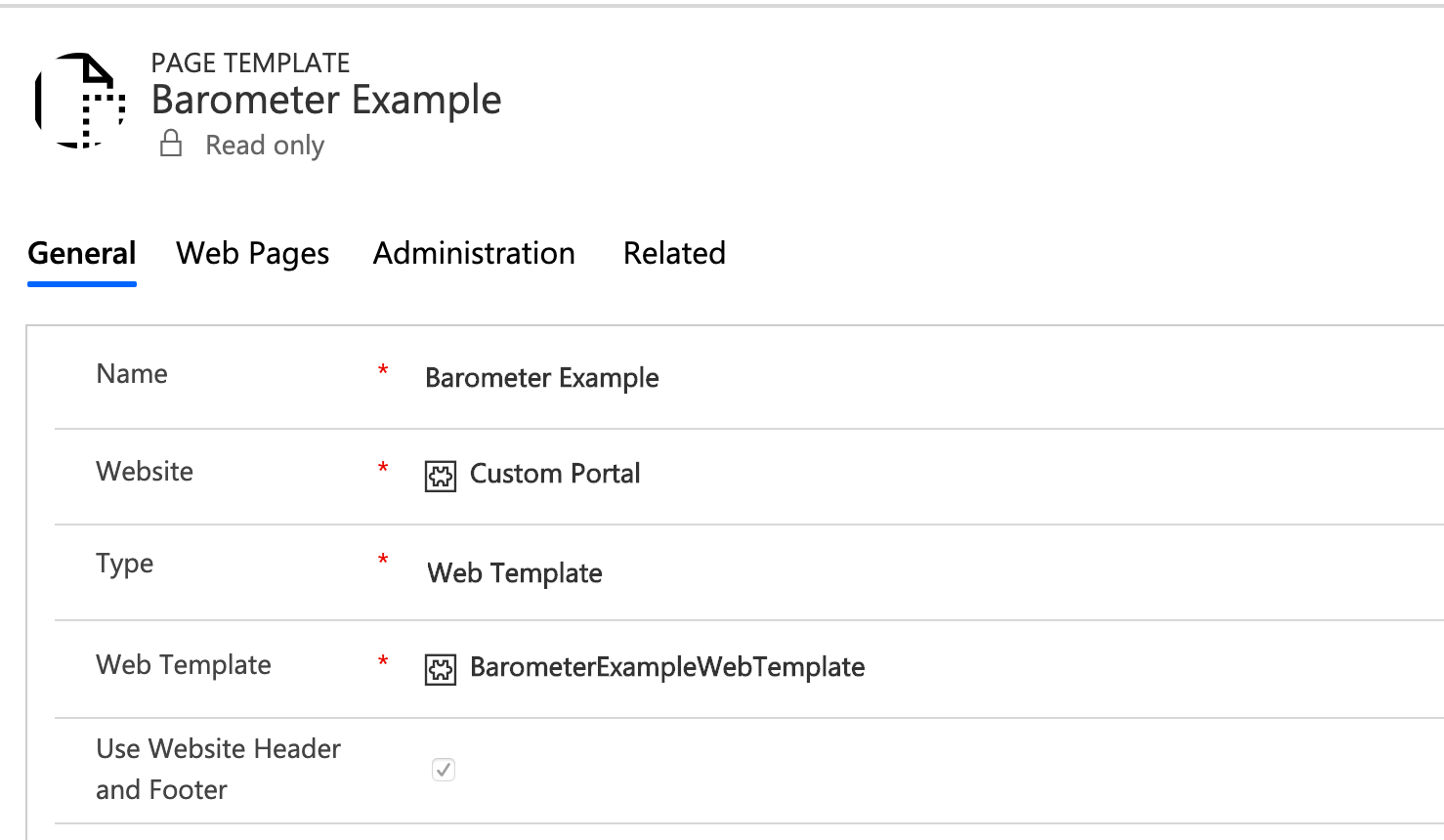
3. Create a Page Template using the Web template created in the step below.
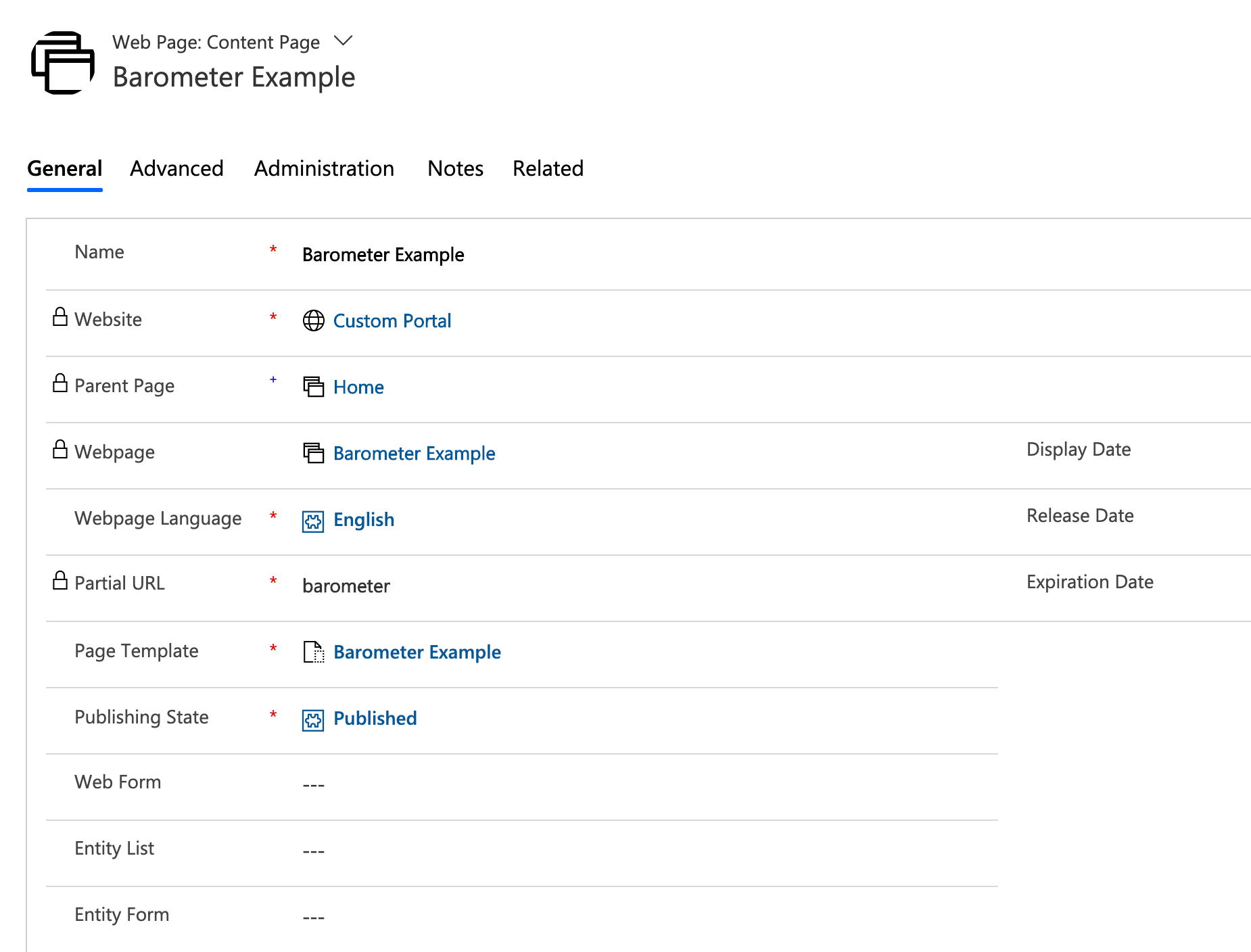
4. Create a web page to invoke our super barometer
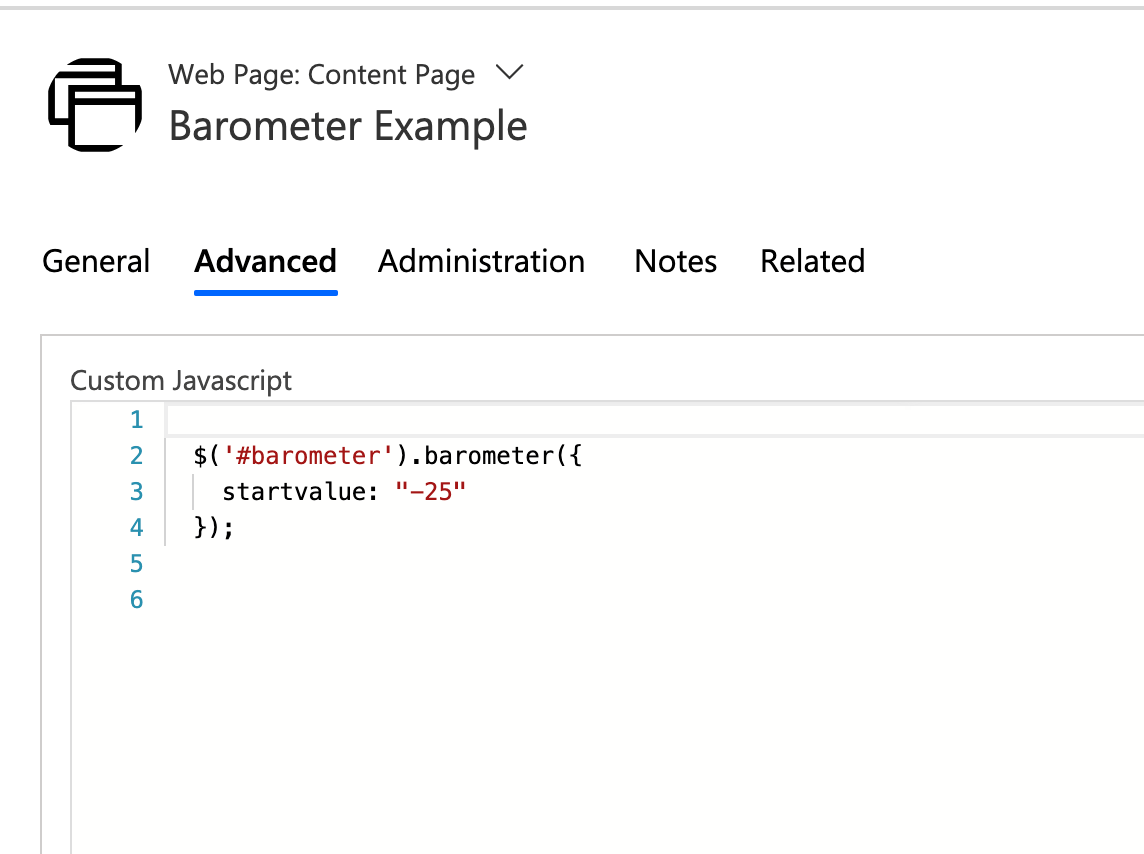
5. Initialize the barometer in the Custom Javascript.
6. And there it is, now we have a barometer in our PowerApps Portal!
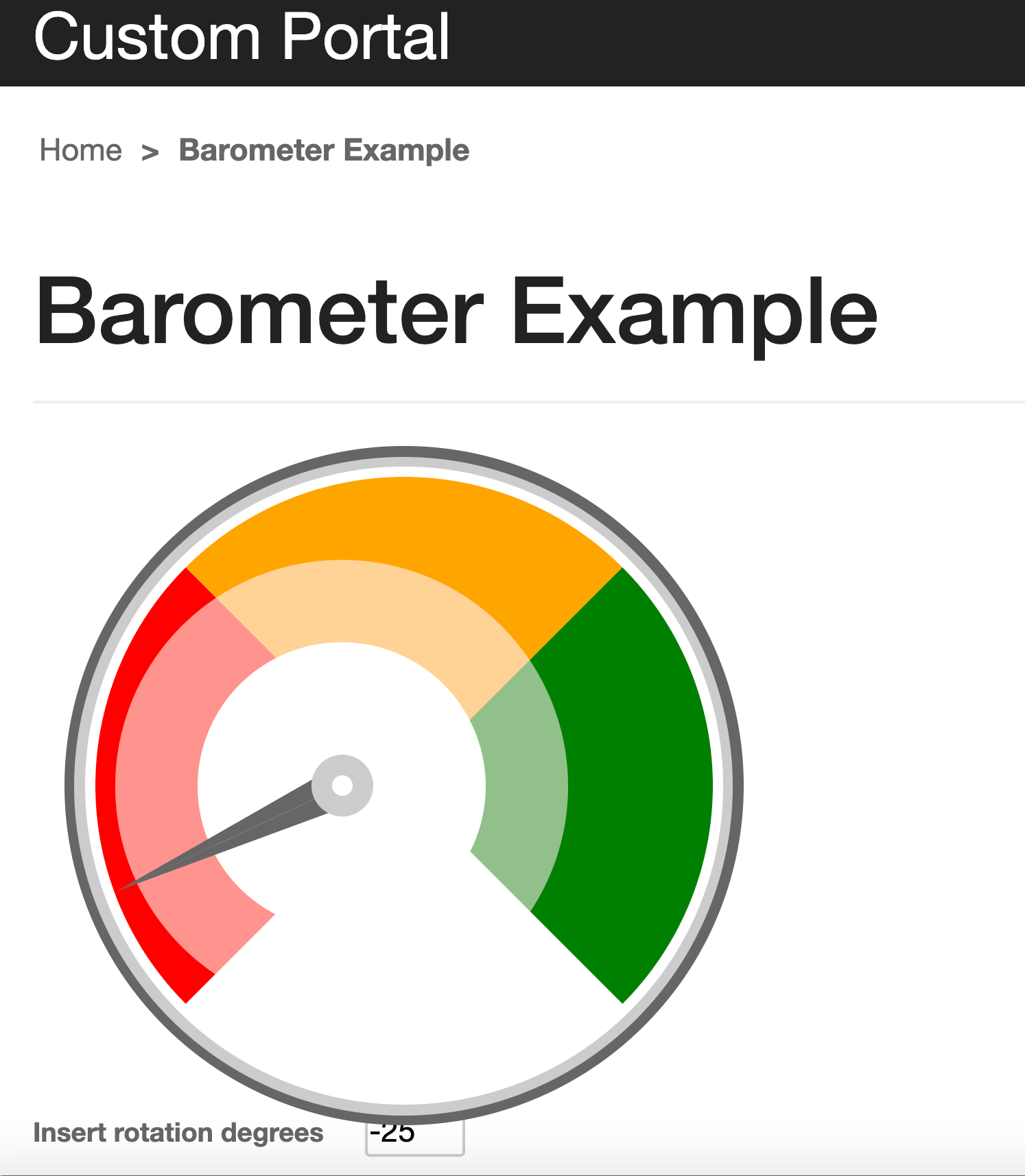
Really simple and also very powerful, you don’t need to be constrained by the PowerApps Portal options, it is very simple to extend the UI to improve the user experience with jQuery Plugins.
Thanks,
Mario


 MS Tech & Coffee
Leave a comment